The committee binder
Everything the planning takes, in one binder
Every reunion committee ends up keeping a binder: the guest list, the vendor quotes, the budget sheet, the photos. Plan Our Reunion is that binder, shared by the whole committee and open on any phone. Here is what's behind each tab.
Before the day
A home page for the gathering
Every event gets its own page with the date, the place and the RSVP card up top, then tabs for the story, the plan, the discussion and the memories. Post updates as plans firm up, so nobody has to dig through a group chat to find out what changed.
Events and RSVPs in the help center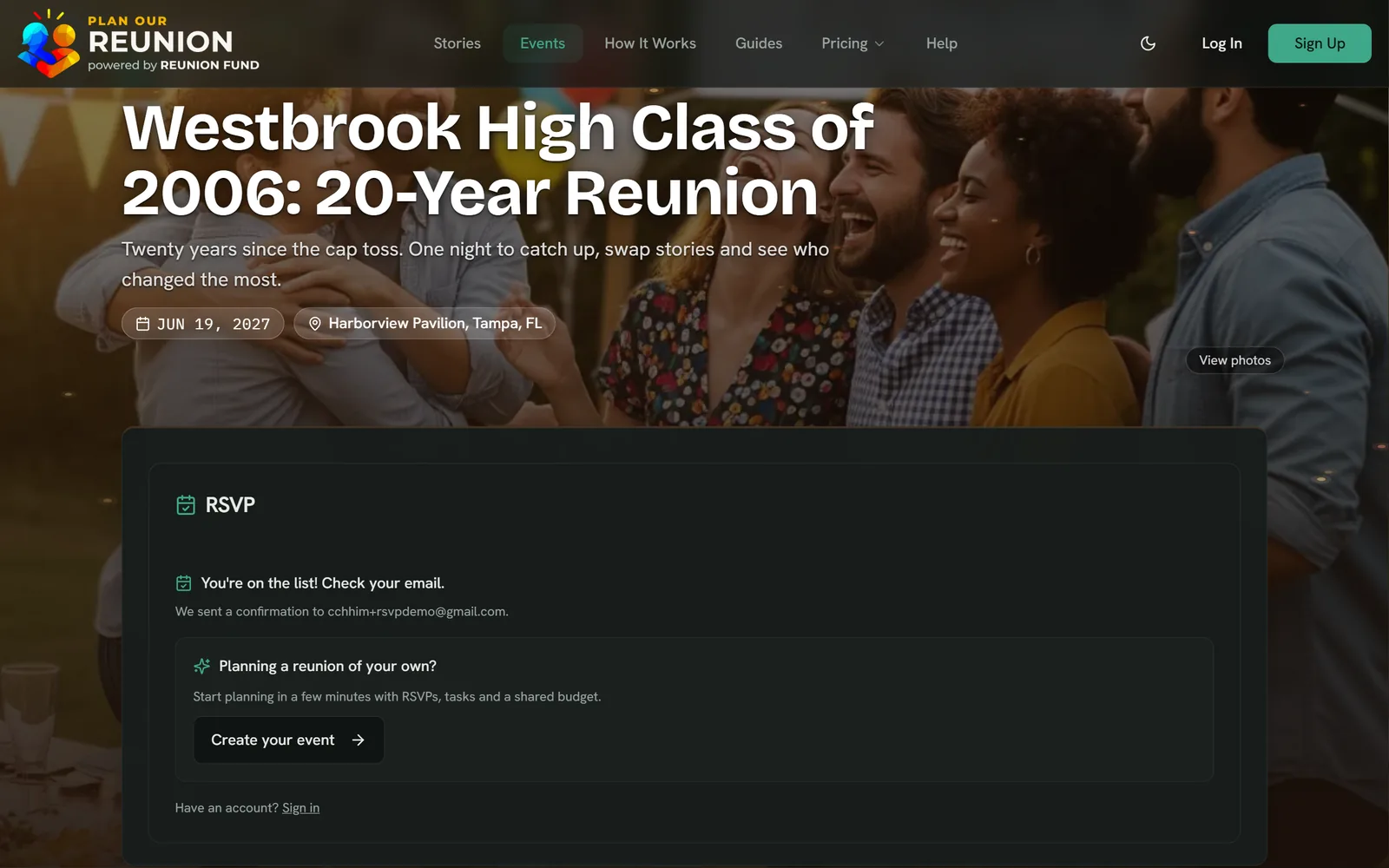
- Add your name and email
- Tap I'm going
- You're on the list
- RSVPs
- Going or can't make it, open until your RSVP deadline
- Guest cap
- Shows the spots left, then marks the event full
- Guest list
- Export it as a CSV for name tags and check-in
- Reminders
- The day before on Free; paid plans add a week out and the day of
- Visibility
- Listed publicly, or unlisted so only people with the link find it
Invite everyone, wherever they actually read
Email invitations go out with your own note, in batches of up to 30, and nobody needs an account to RSVP. For everyone you can't reach by email, the Share button opens the whole kit.
Invites and sharing in the help center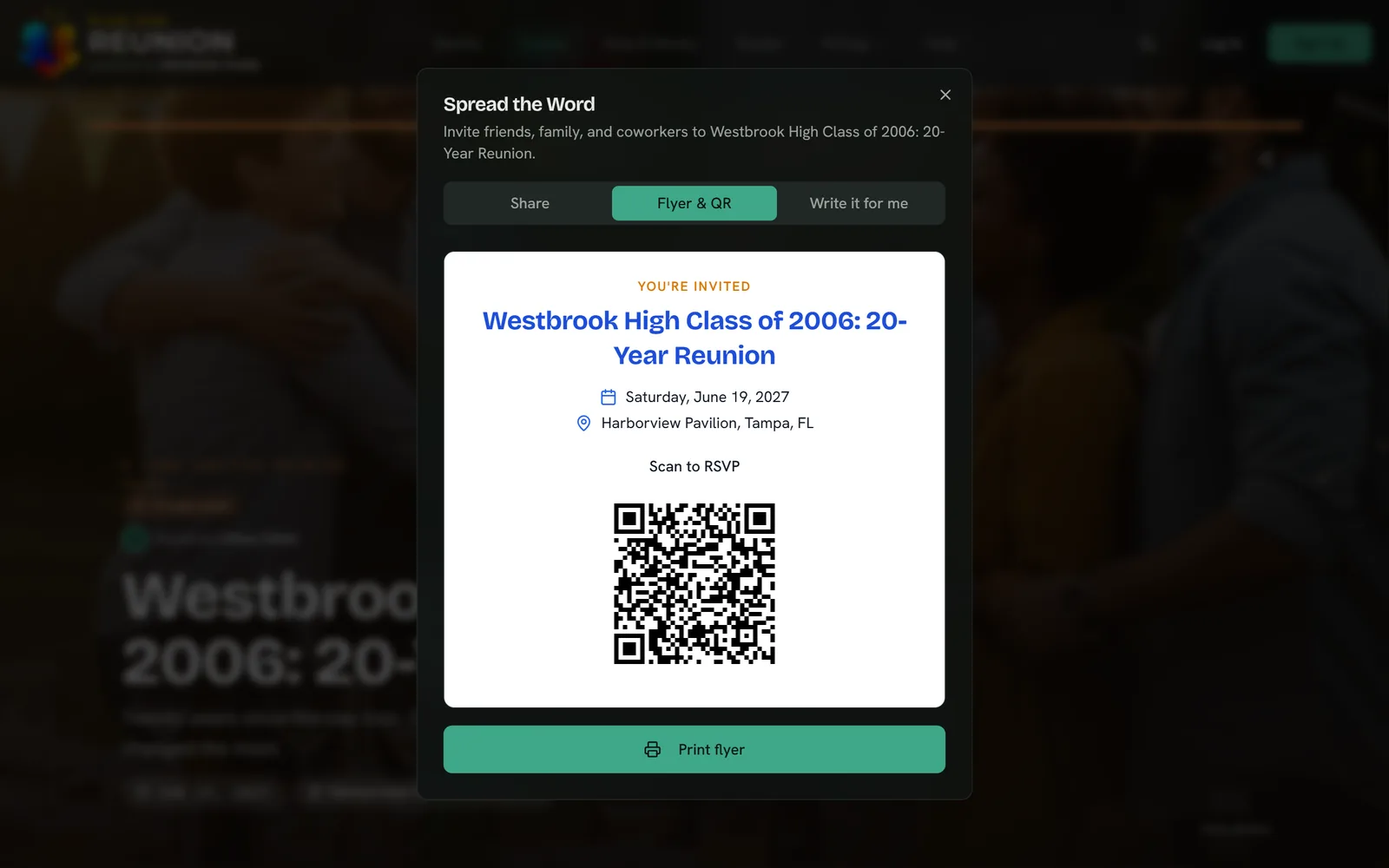
- Tap Share
- Pick an app
- Or print the QR flyer
- Share to
- WhatsApp, text, email, Facebook, X and LinkedIn
- QR flyer
- A printable one-pager for the bulletin board
- Calendars
- A Google Calendar link and an .ics file for the rest
- Invite text
- WeeBie drafts it in a warm, fun or professional tone
A private workspace for the people doing the work
The committee is where your co-planners get things done, away from the public page. The to-do list, the files, the decisions and the conversation all live in one place instead of five.
Committees and planning in the help center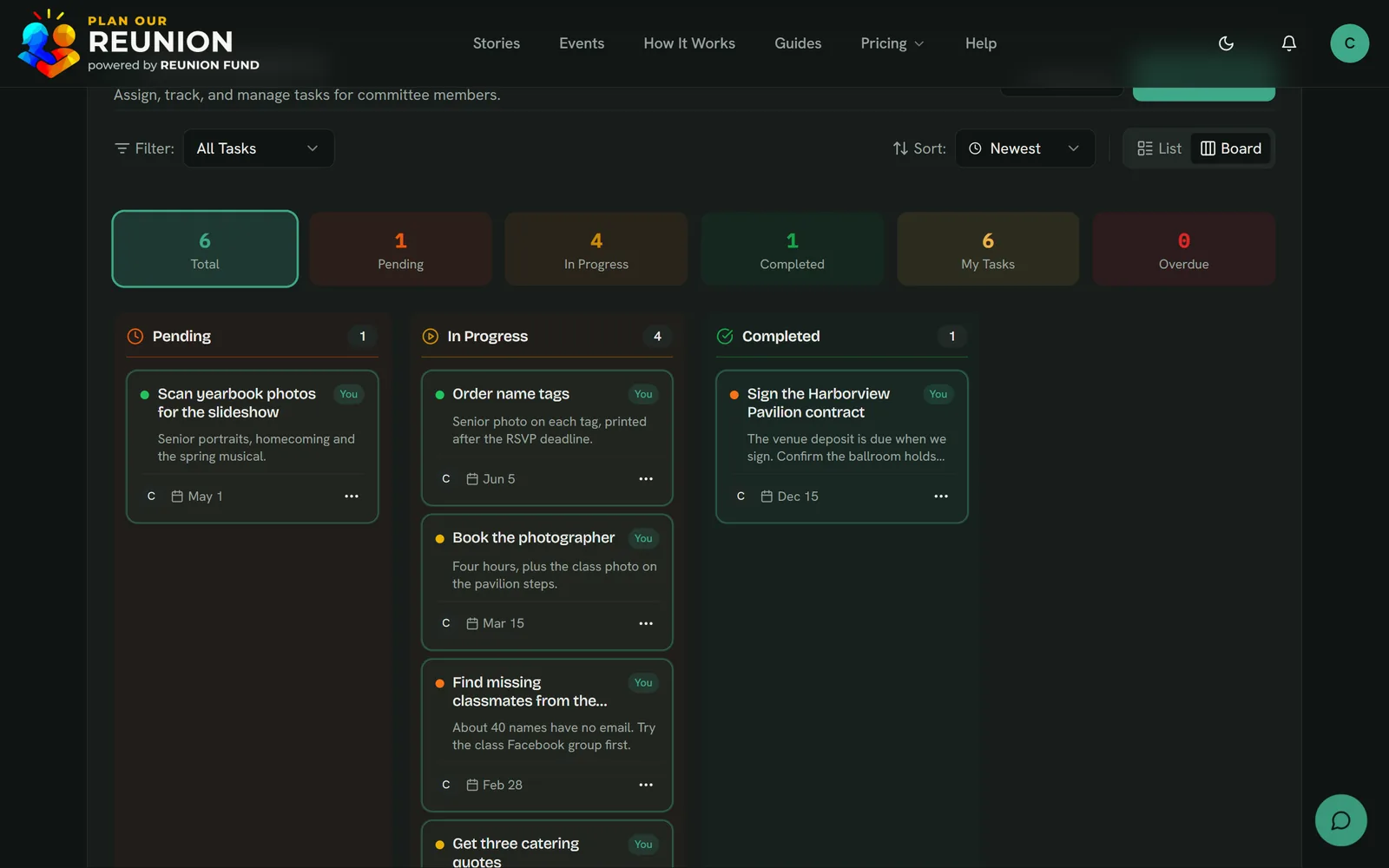
- Open the task's menu
- Tap Start Task
- The whole committee sees it move
- Tasks
- A list or a kanban board, with assignees and due dates
- Documents
- Private files up to 10 MB, linked to the step they belong to
- Discussions
- Threaded topics for the bigger decisions, like the venue
- Team chat
- Messages for the quick back-and-forth
- Co-organizers
- 1 on Free, 3 on Pro, unlimited on Enterprise
Break the event into steps, and give each one a budget
Milestones turn one big event into phases like Book the Venue and Confirm Catering, each with its own status, due date, tasks, documents and share of the budget. Anyone on the committee can record an expense when a receipt comes in.
Milestones and budgets in the help center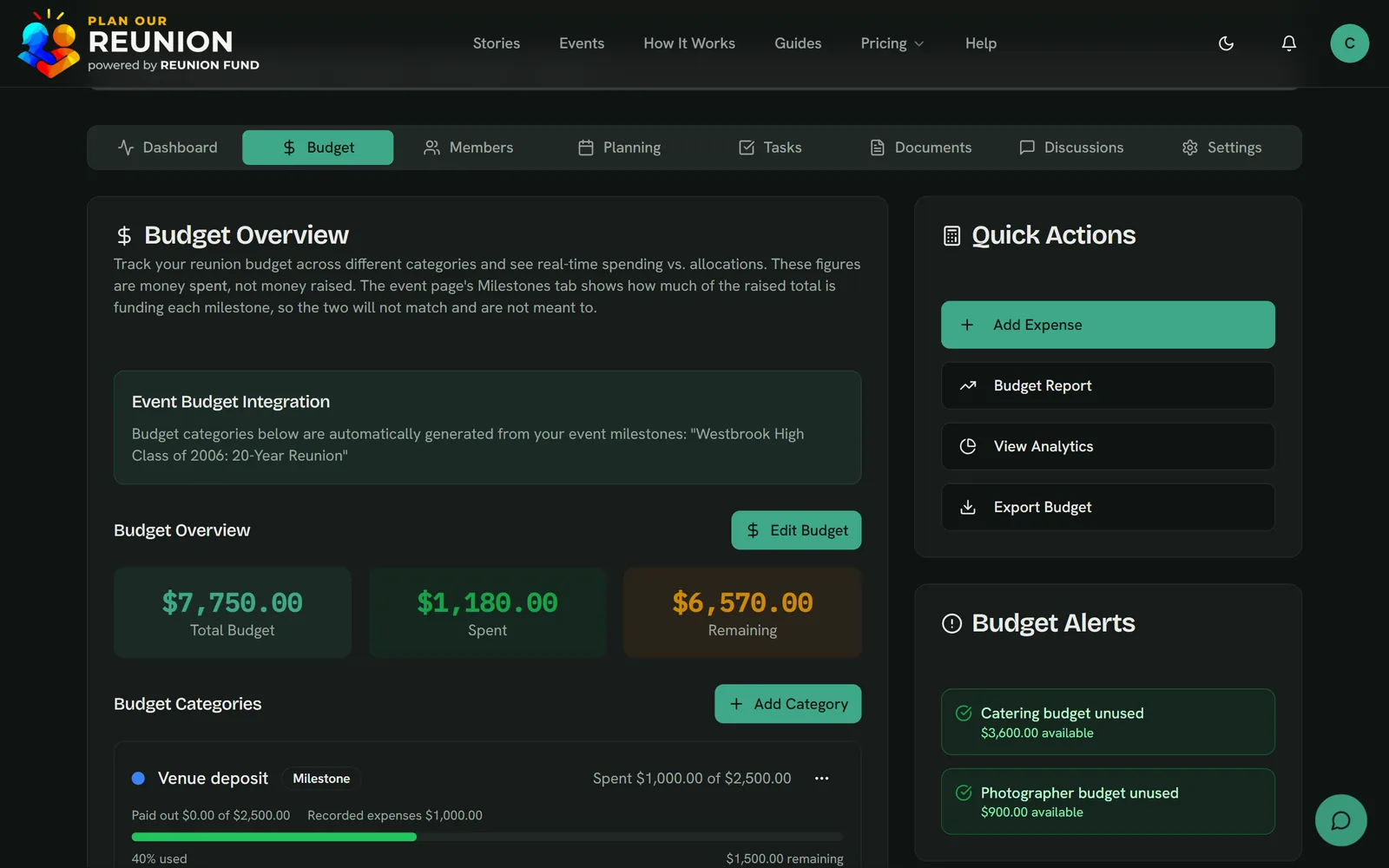
- Tap Add Expense
- Describe it and enter the amount
- The totals update for everyone
- Budget
- One total, divided across your milestones
- Expenses
- Recorded by any member, against a category
- At a glance
- Spent against remaining, with health colors
- Reports
- A CSV export or a printable report
If you collect money
Collect money without a spreadsheet of who paid
The Reunion Fund is an optional pot guests chip into by card with a free account, for the venue deposit, the catering or a group gift. The pot fills your milestones in order, so everyone can see what the money is for before it moves. Don't need to collect money? Skip it, and everything else works the same.
The Reunion Fund in the help center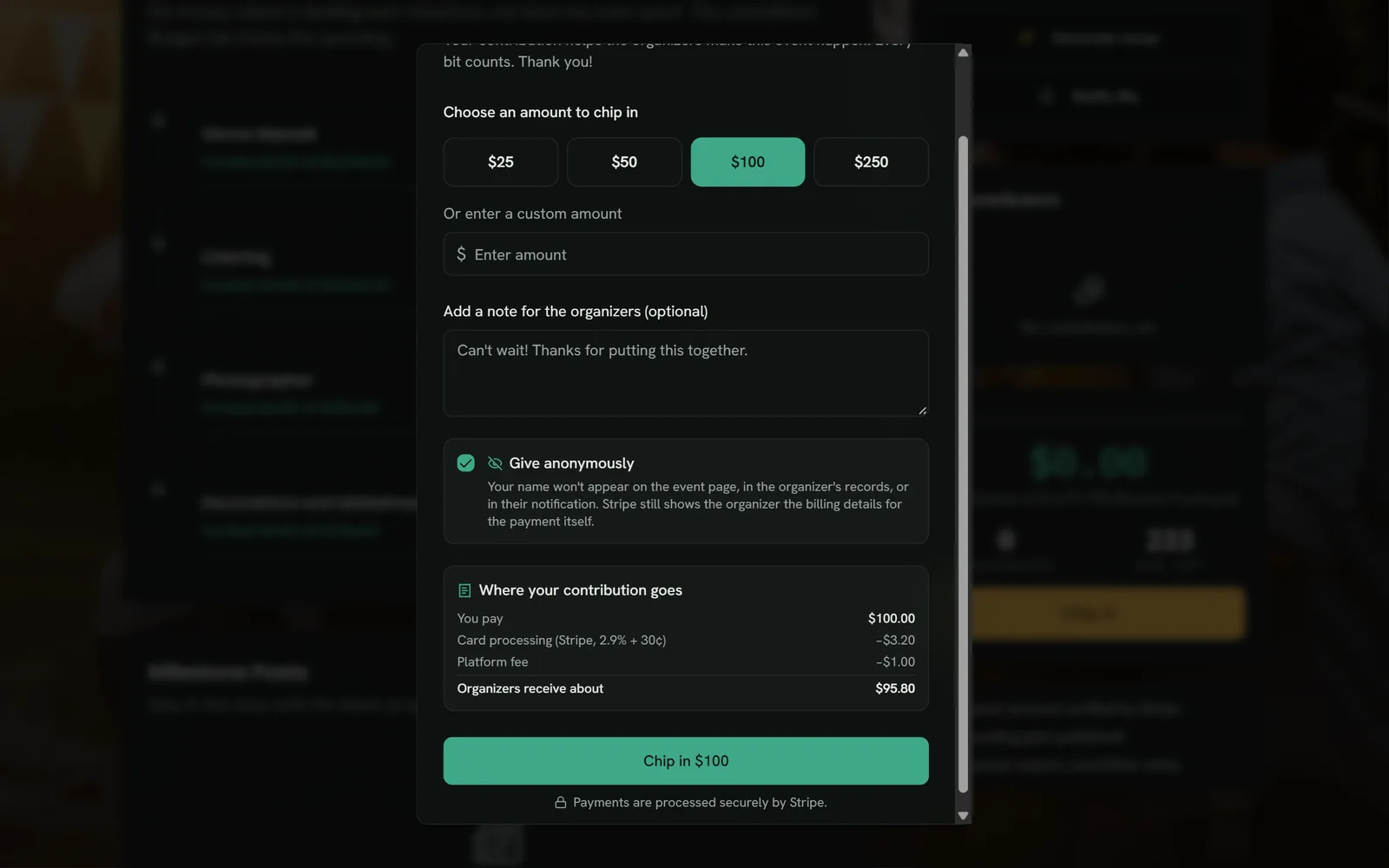
- Tap Chip in
- Pick an amount (or give anonymously)
- Pay securely by card through Stripe
- Chipping in
- $1 to $10,000 by card, processed by Stripe
- Fees
- A 1% platform fee plus Stripe's card fee, nothing monthly
- Payouts
- Released only after the committee votes to approve
- Anonymous
- Guests can give without their name on the page
After the day
Everyone's photos in one place, not forty camera rolls
The Memories tab is a shared keepsake. Guests post notes and photos before, during and after the event, and posting is open only to the people tied to the gathering.
Memories and Traditions in the help center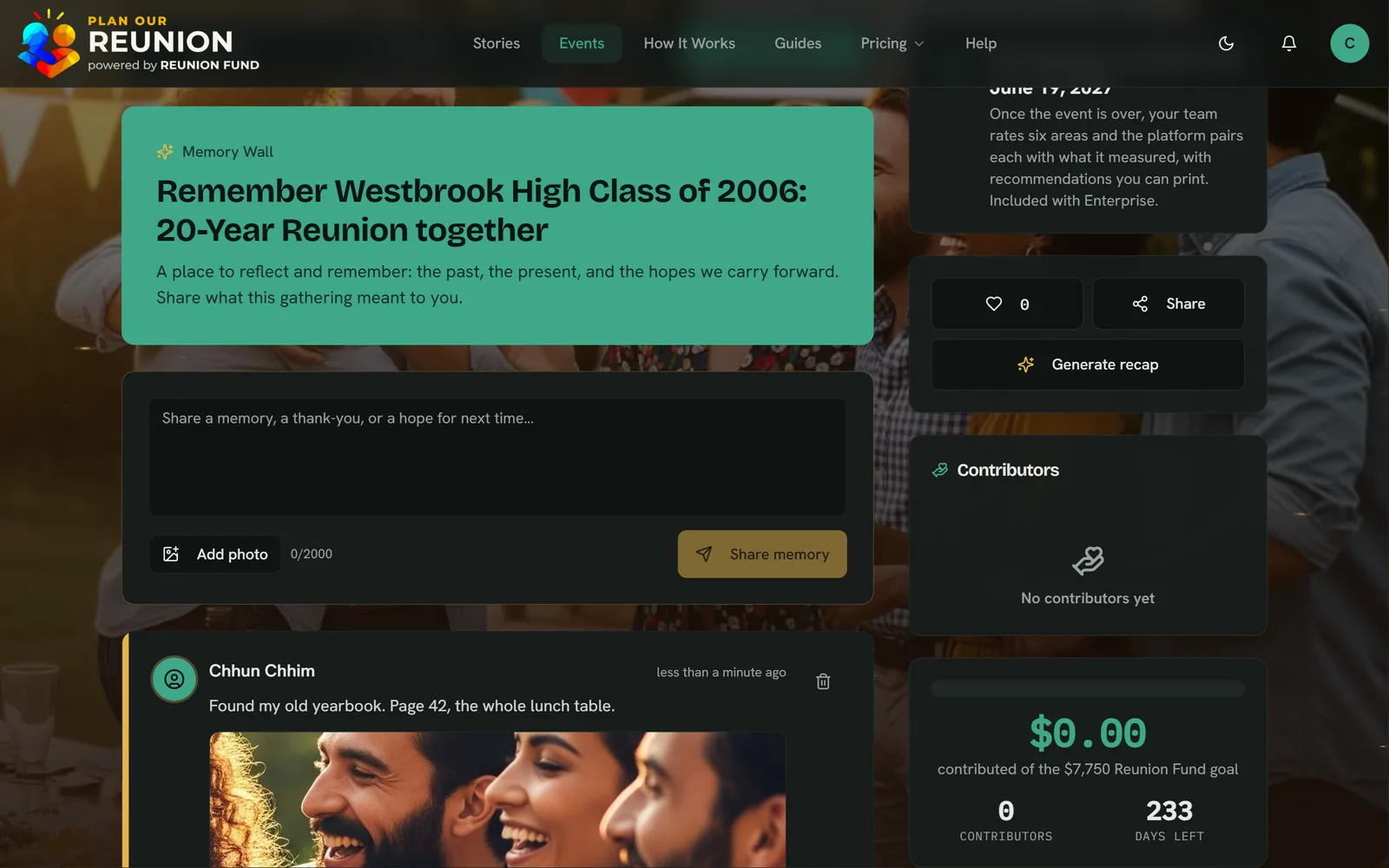
- Write a note
- Add a photo
- Share memory
- Photos
- Up to 5 MB each
- Notes
- Up to 2,000 characters
- Who can post
- Organizers, the committee, and guests who RSVP'd while signed in
- Recap
- WeeBie drafts a yearbook-style recap from the event and its newest notes
Next year starts where this year left off
A Tradition links each year's event into a series with its own home page: every edition on a timeline, the running totals, and a button that starts the next one from this one. You'll see which guests are back and how many editions they've come to.
Traditions in the help center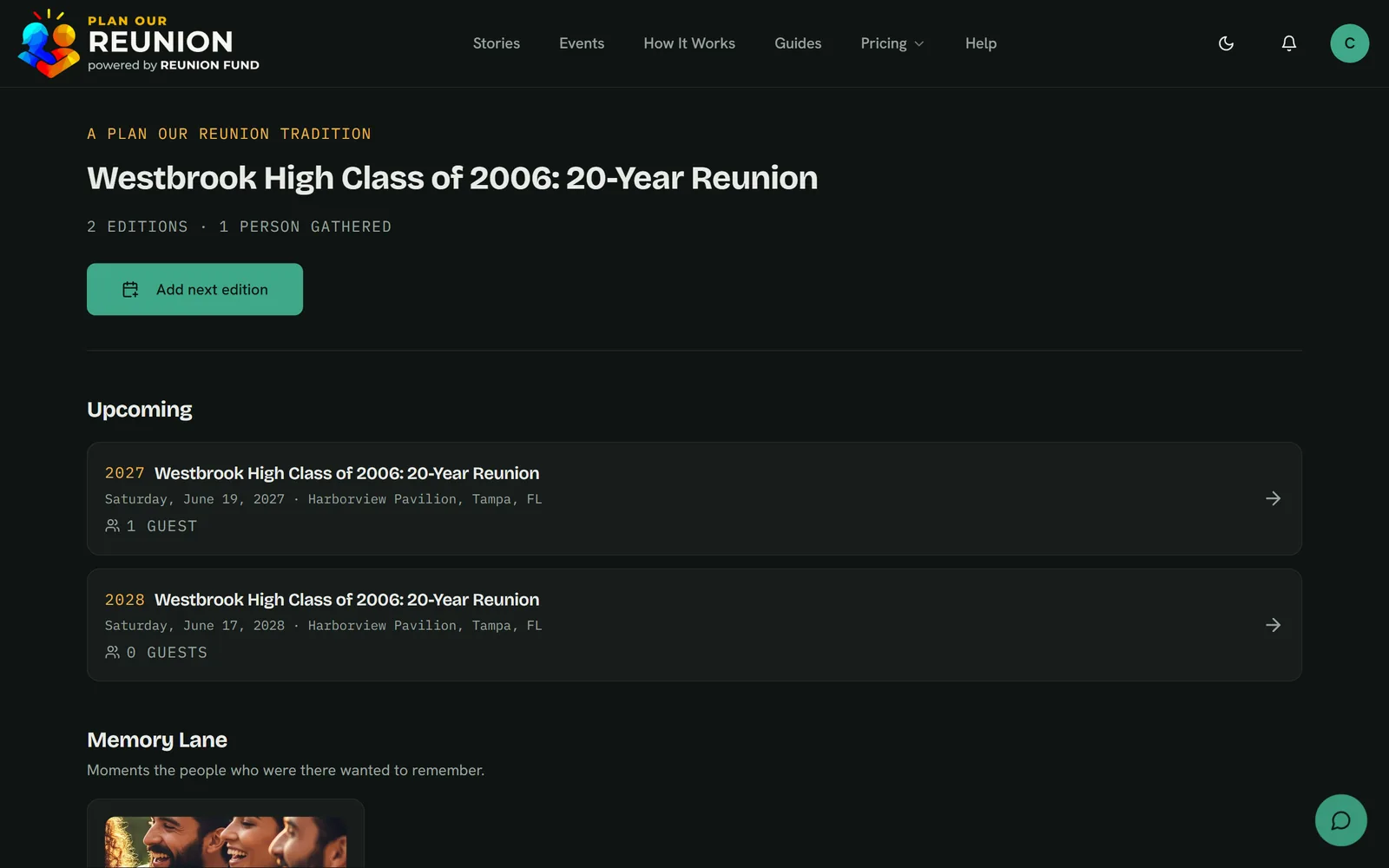
- Tap Add next edition
- Pick the date
- Your team carries forward
- Timeline
- Every edition of the gathering, in order
- Returning guests
- Who is back, and how many editions they've come to
- Next edition
- Start next year's event from this one
- Cost
- Included on every plan, Free too
All along the way
An assistant that knows how all of this works
WeeBie is the chat bubble in the corner of your dashboard, the Help Center and the planning pages of Plan Our Reunion. Ask how something works and get an answer at any hour. The same AI drafts your invitation, event description and recap from a button right where you write them.
Asking WeeBie in the help center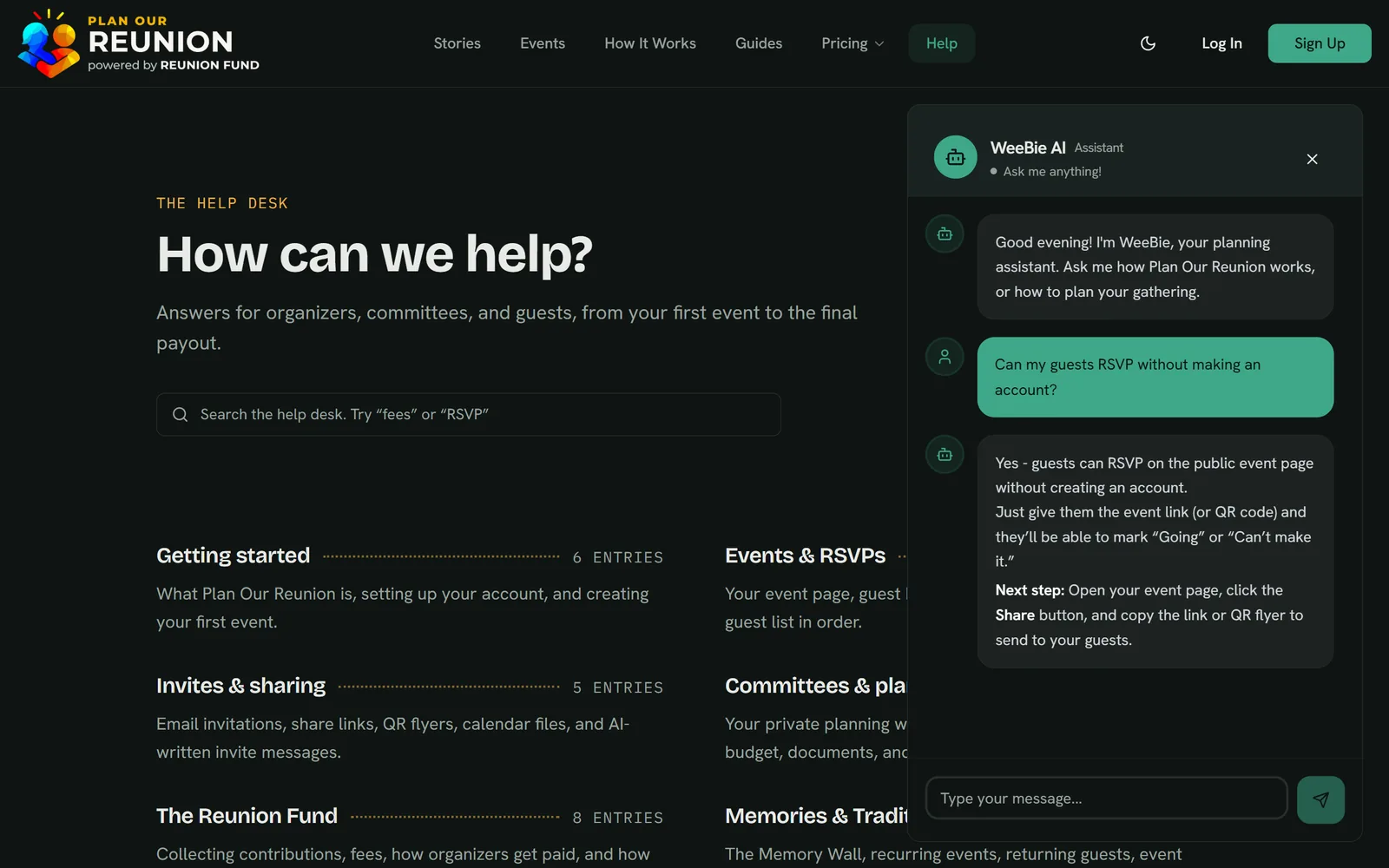
- Tap the WeeBie bubble
- Ask in your own words
- Get the steps back
- Answers
- How-to questions, any hour
- Drafts
- Invitations, event descriptions and recaps, a button away
- AI credits
- 25 a month on Free, 300 on paid plans
- Hand-off
- Points you to a person when it can't help
See who's coming, and learn from how it went
Pro adds RSVP analytics for each event. Enterprise widens that to every event you run, exports your guest and RSVP data, and adds a post-event retrospective: a team survey, a scorecard and recommendations for next time.
Compare plans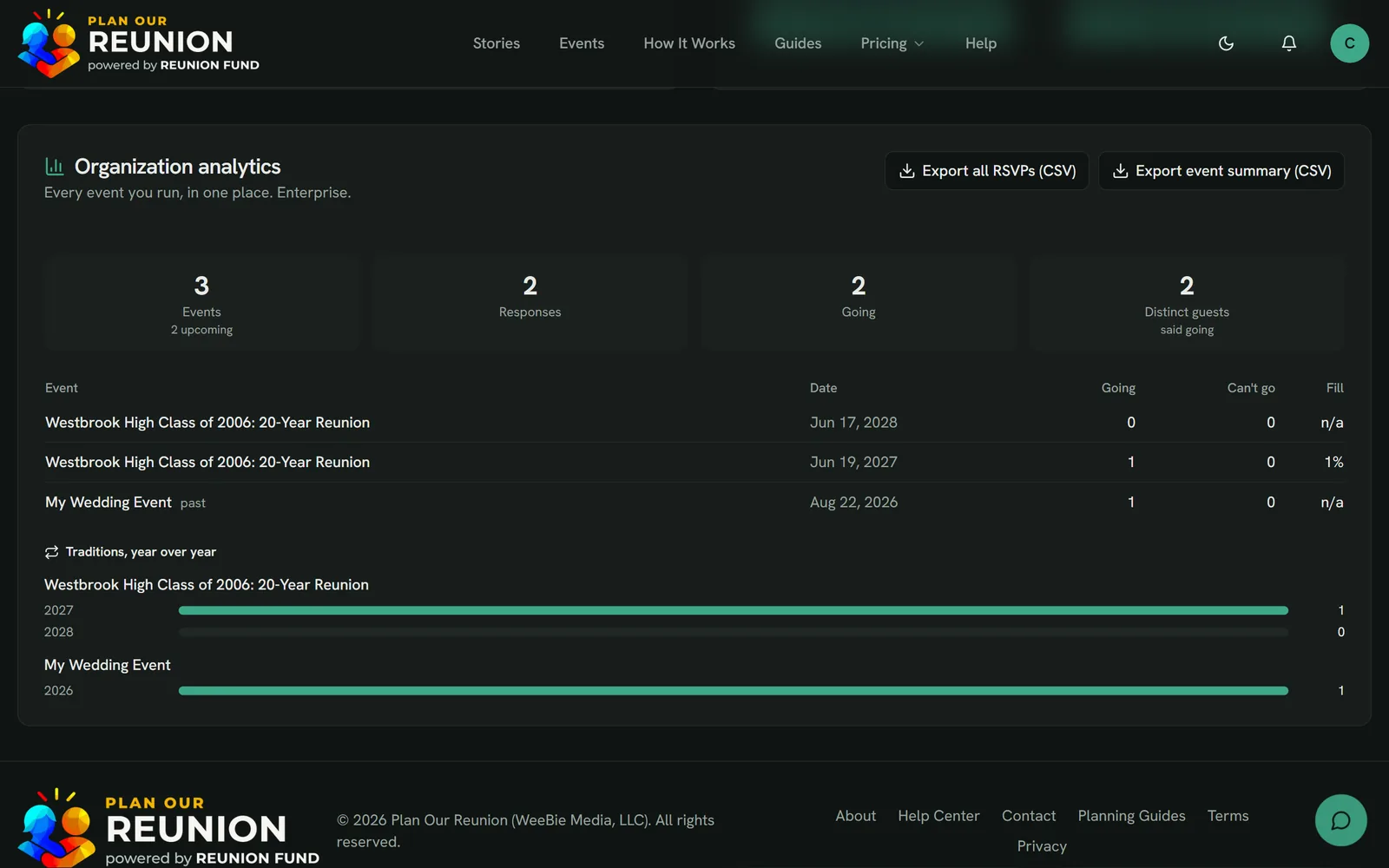
- Open your dashboard
- Compare every event and year
- Export everything as CSV
- Pro
- RSVP analytics for each event: responses, turnout and recent replies
- Enterprise
- Analytics across every event you run
- Export
- All guest and RSVP data as CSV, on Enterprise
- Retrospective
- Team survey, scorecard and recommendations, on Enterprise
The next step
Start the binder for your reunion
Start free with up to 30 guests per event, and move to Pro when the guest list grows. Every feature on this page marked “Every plan” is in Free.